7 Best AI Photo Restoration Tools in 2026 (Ranked & Compared)
Not all AI photo restoration tools are equal. We tested the top options so you can choose the right one—whether you need quick fixes or full professional-grade restoration.
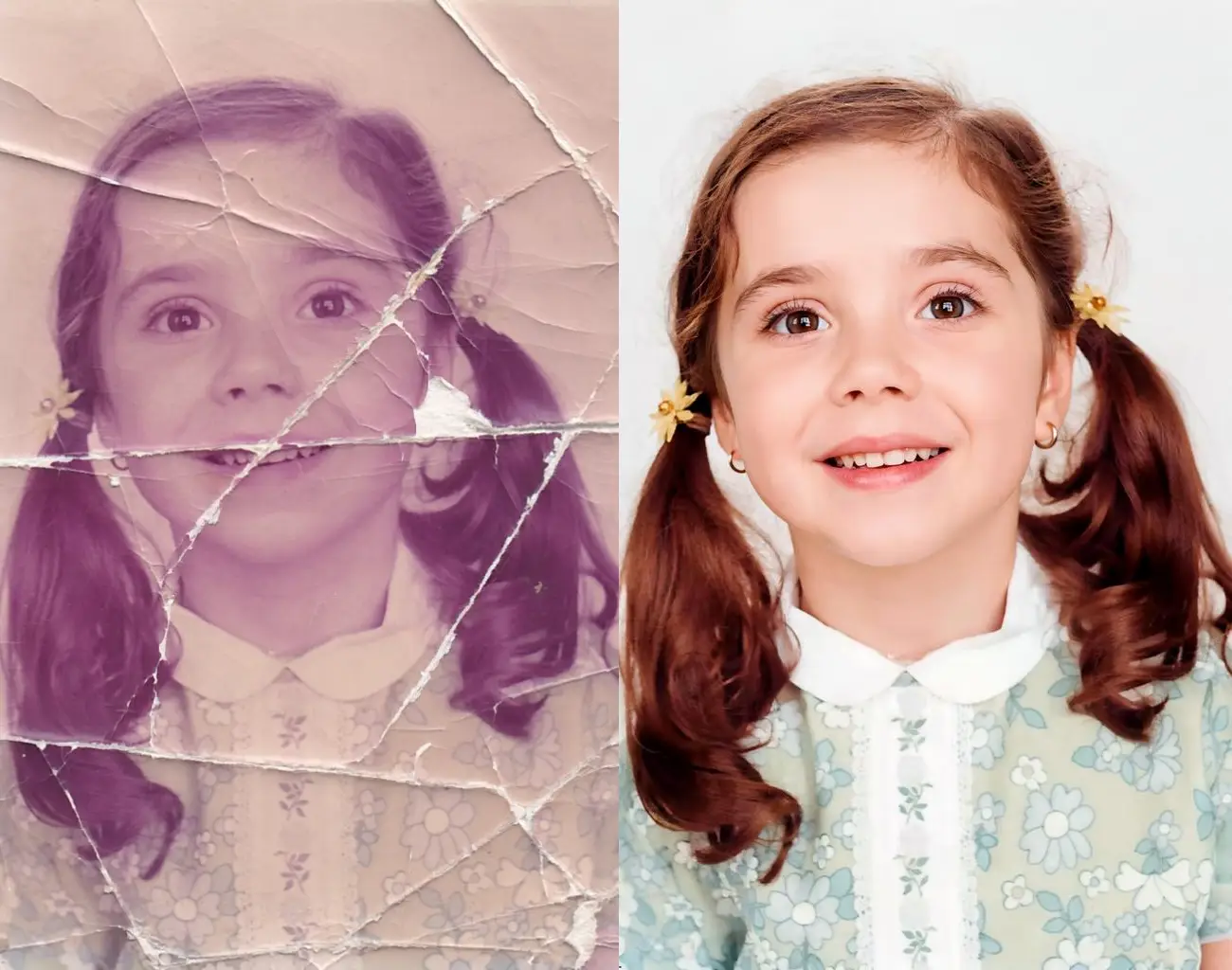
Old photos deserve better than collecting dust in a box. The good news: AI has made professional-quality restoration accessible to anyone. The bad news: there are dozens of tools claiming to be the best.
We tested the top options across four key dimensions:
- Scratch & damage repair — cracks, stains, water damage
- Face enhancement — clarity and detail in portraits
- Colorization — black & white to realistic color
- Upscaling — resolution and sharpness
Here's what we found.
Quick Comparison Table
| Tool | Scratch Repair | Face Enhancement | Colorization | Upscaling | Best For |
|---|---|---|---|---|---|
| The Photo Restore | ✅ Excellent | ✅ Excellent | ✅ Excellent | ✅ Excellent | All-in-one restoration |
| Remini | ❌ No | ✅ Good | ❌ No | ✅ Good | Face sharpening |
| MyHeritage | ✅ Good | ✅ Good | ✅ Good | ✅ Good | Family/genealogy |
| VanceAI | ✅ Good | ✅ Good | ✅ Good | ✅ Excellent | Bulk processing |
| Adobe Photoshop | ✅ Manual | ✅ Manual | ✅ Manual | ✅ Excellent | Pro/creative work |
| Fotor | ✅ Basic | ✅ Basic | ✅ Basic | ✅ Basic | Casual editing |
| Let's Enhance | ❌ No | ❌ No | ❌ No | ✅ Excellent | Upscaling only |
1. The Photo Restore — Best Overall
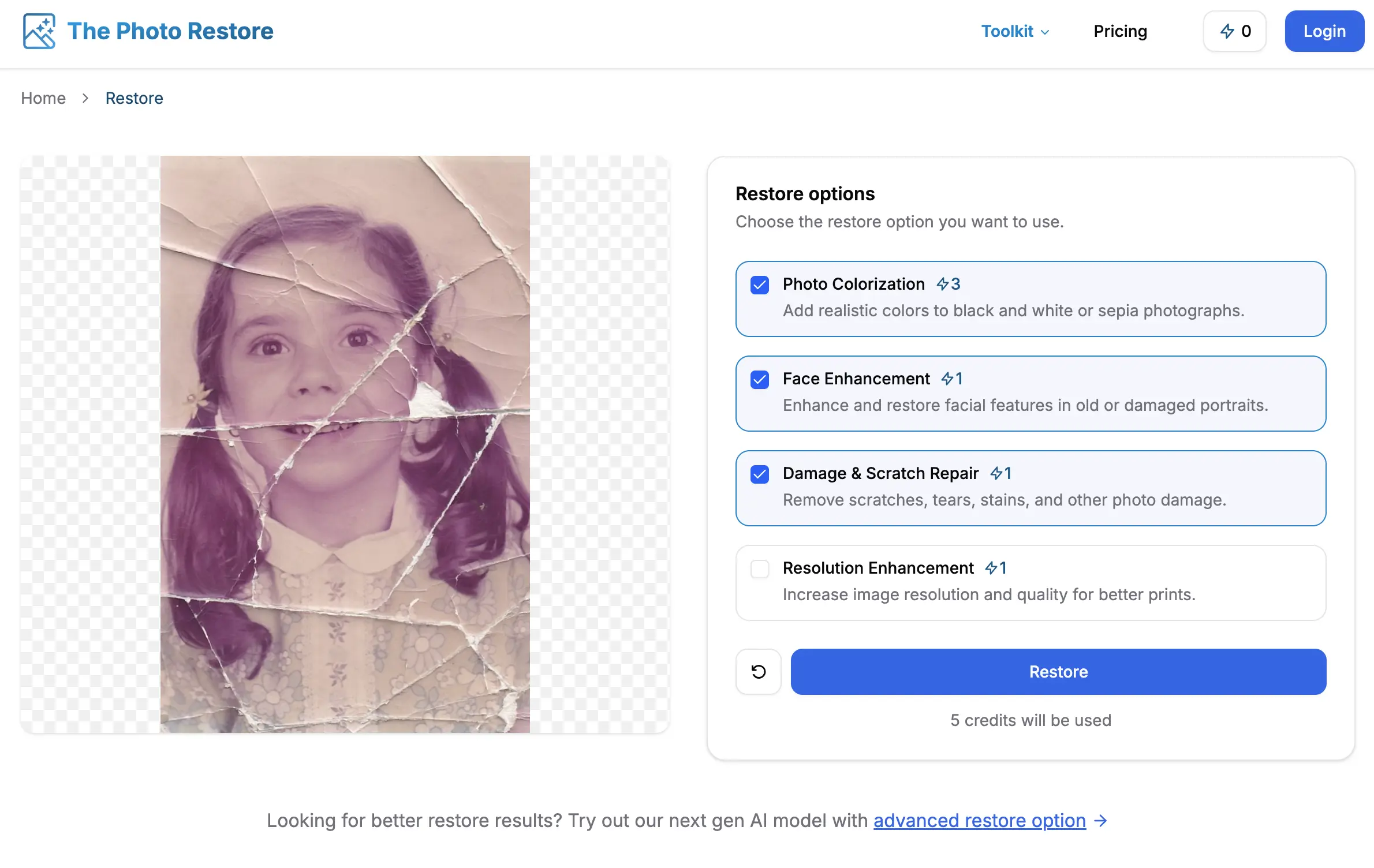
The Photo Restore is purpose-built for one job: restoring old and damaged photos. Every feature is designed for this specific use case, which is why results consistently outperform general-purpose editors.
What it does
- Scratch & damage repair — removes cracks, stains, dust, and water damage
- AI face enhancement — reconstructs blurry or faded facial features while preserving identity
- Colorization — converts black & white photos to realistic color
- AI upscaling — sharpens low-resolution images for printing or display
Advanced Restore: one-click all-in-one
The Advanced Restore mode combines all four tools automatically. Upload a photo, and the AI determines which treatments to apply and in what order — scratch repair → face enhancement → colorization → upscaling — in a single pass.
This is the fastest path to a fully restored photo, especially for heavily damaged images.
Pros
- Best results for damaged portrait photos
- No technical skill required
- Free credits to get started
- Private and secure — photos deleted after processing
- Works on all photo types: portraits, landscapes, documents
Cons
- Web-only (no desktop app)
- Free tier has credit limits
Best for: Anyone who needs high-quality, all-in-one restoration with minimal effort.
2. Remini — Best for Face Sharpening
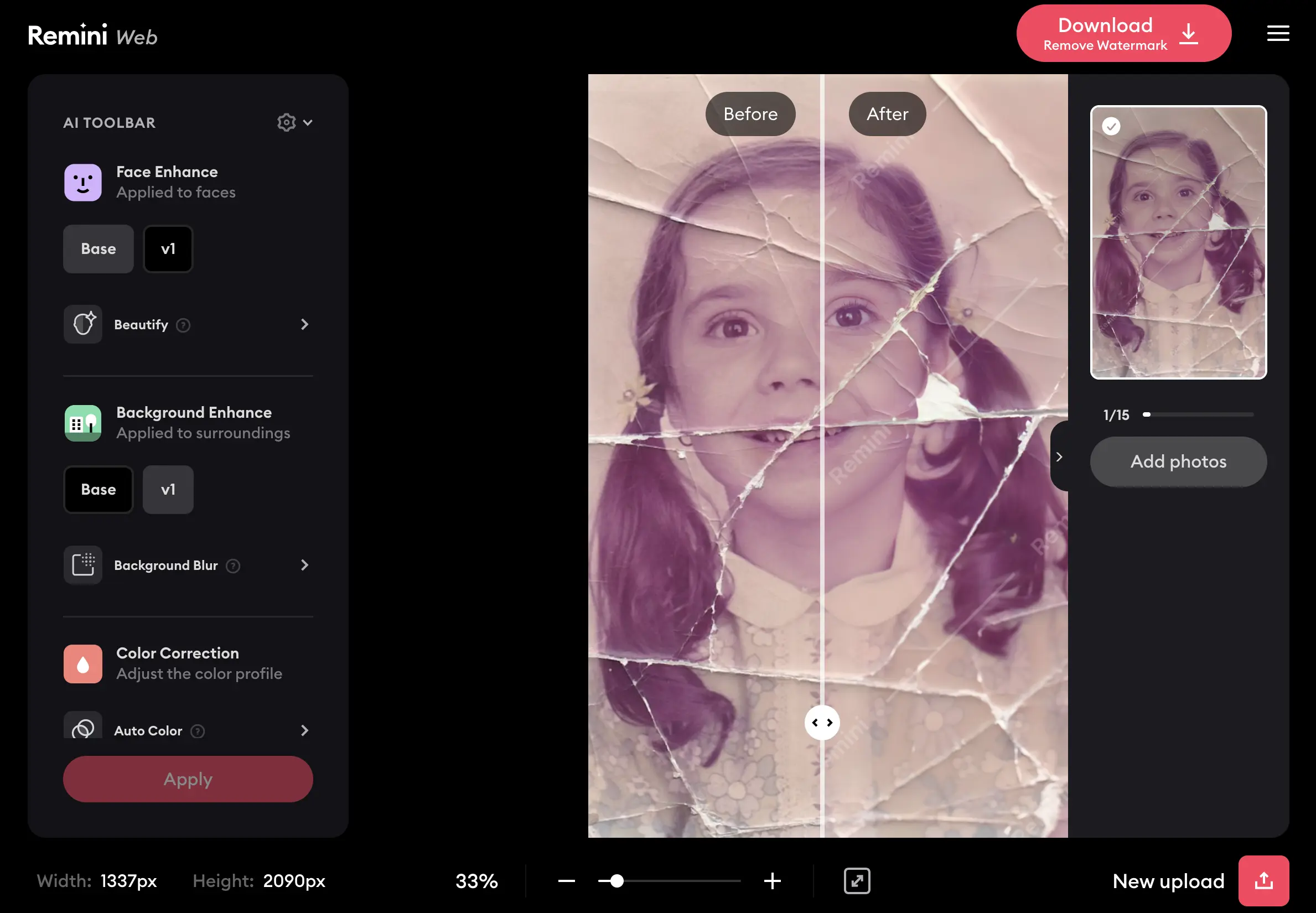
Remini is a mobile app focused almost entirely on face enhancement. It's excellent at sharpening blurry portraits and adding detail to low-resolution faces. It's one of the most downloaded photo apps for a reason.
Pros
- Excellent face sharpening
- Easy mobile app (iOS & Android)
- Fast processing
Cons
- No scratch or damage repair
- No colorization
- Subscription required for full access
- Tends to over-smooth skin, which can look unnatural
Best for: Quick face sharpening on mobile. Not suitable for heavily damaged photos.
3. MyHeritage Photo Enhancer — Best for Family History
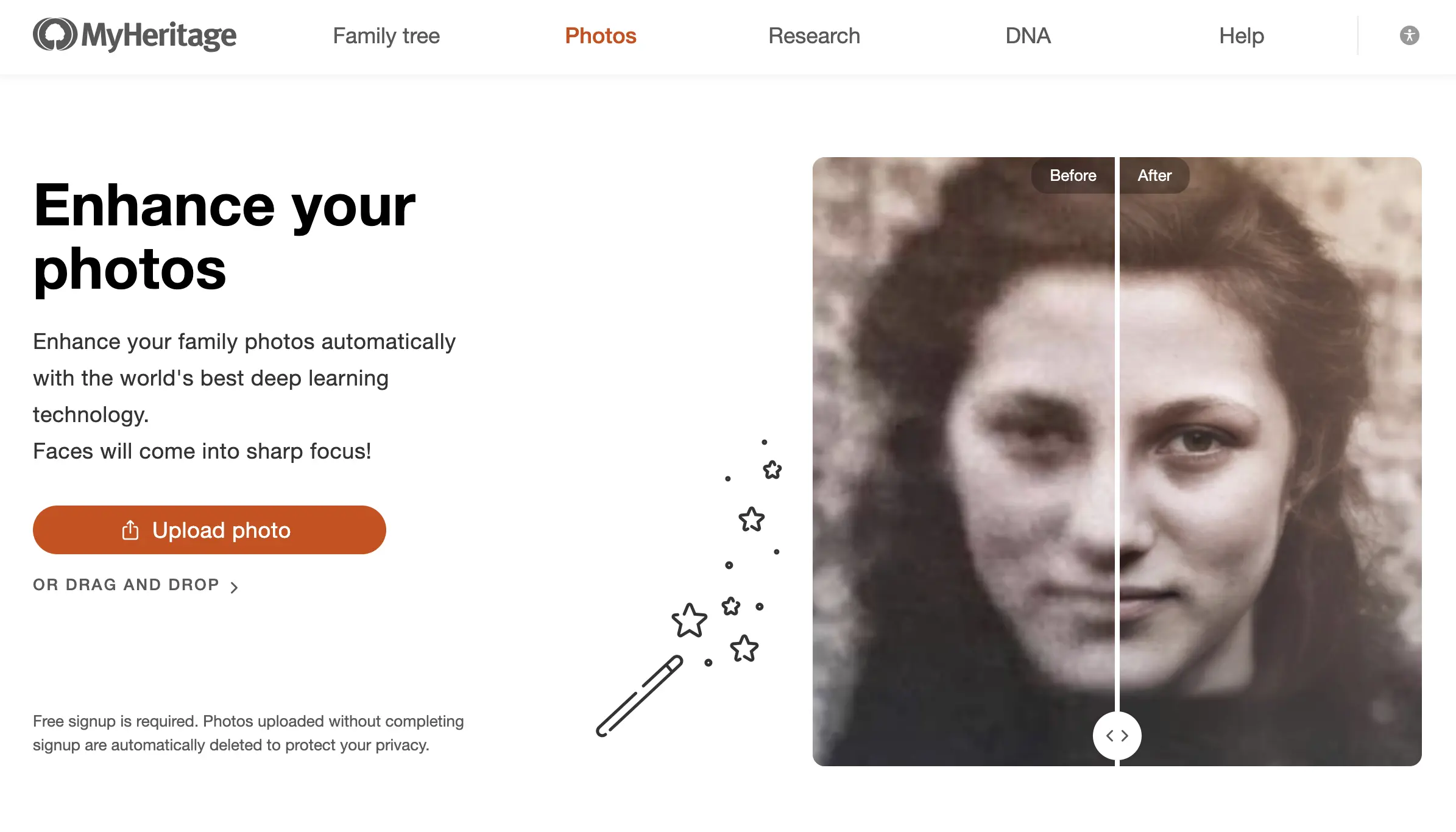
MyHeritage is best known as a genealogy platform, and its photo enhancement tools are built with that audience in mind. The colorization tool in particular is well-regarded for historical accuracy.
Pros
- Good colorization for vintage family photos
- Integrates with family tree features
- Photo animation feature (adds movement to still photos)
Cons
- Requires a MyHeritage account
- Enhancement quality is lower than dedicated restoration tools
- Expensive subscription for full access
Best for: Genealogy enthusiasts who are already on the MyHeritage platform.
4. VanceAI — Best for Bulk Processing
VanceAI offers a broad suite of AI image tools including photo restoration, upscaling, and colorization. Its main strength is batch processing — you can upload multiple photos and process them together.
Pros
- Batch processing support
- Good upscaling quality
- Wide range of tools in one platform
Cons
- Results vary significantly by photo type
- Interface can feel cluttered
- Credit system runs out quickly for heavy users
Best for: Users who need to process a large number of photos at once.
5. Adobe Photoshop — Best for Professional Control
Photoshop's AI features (Neural Filters, Generative Fill, Super Resolution) are powerful, but they require technical knowledge to use effectively. It's the industry standard for professional retouchers, but it's overkill for most people who want to restore old family photos.
Pros
- Maximum control over every aspect of restoration
- Industry-standard output quality
- Powerful upscaling via Super Resolution
Cons
- Steep learning curve
- Expensive subscription ($21+/month)
- Not beginner-friendly
- Time-consuming for complex restorations
Best for: Professional photo editors or designers who already use Creative Cloud.
6. Fotor — Best for Casual All-Around Editing
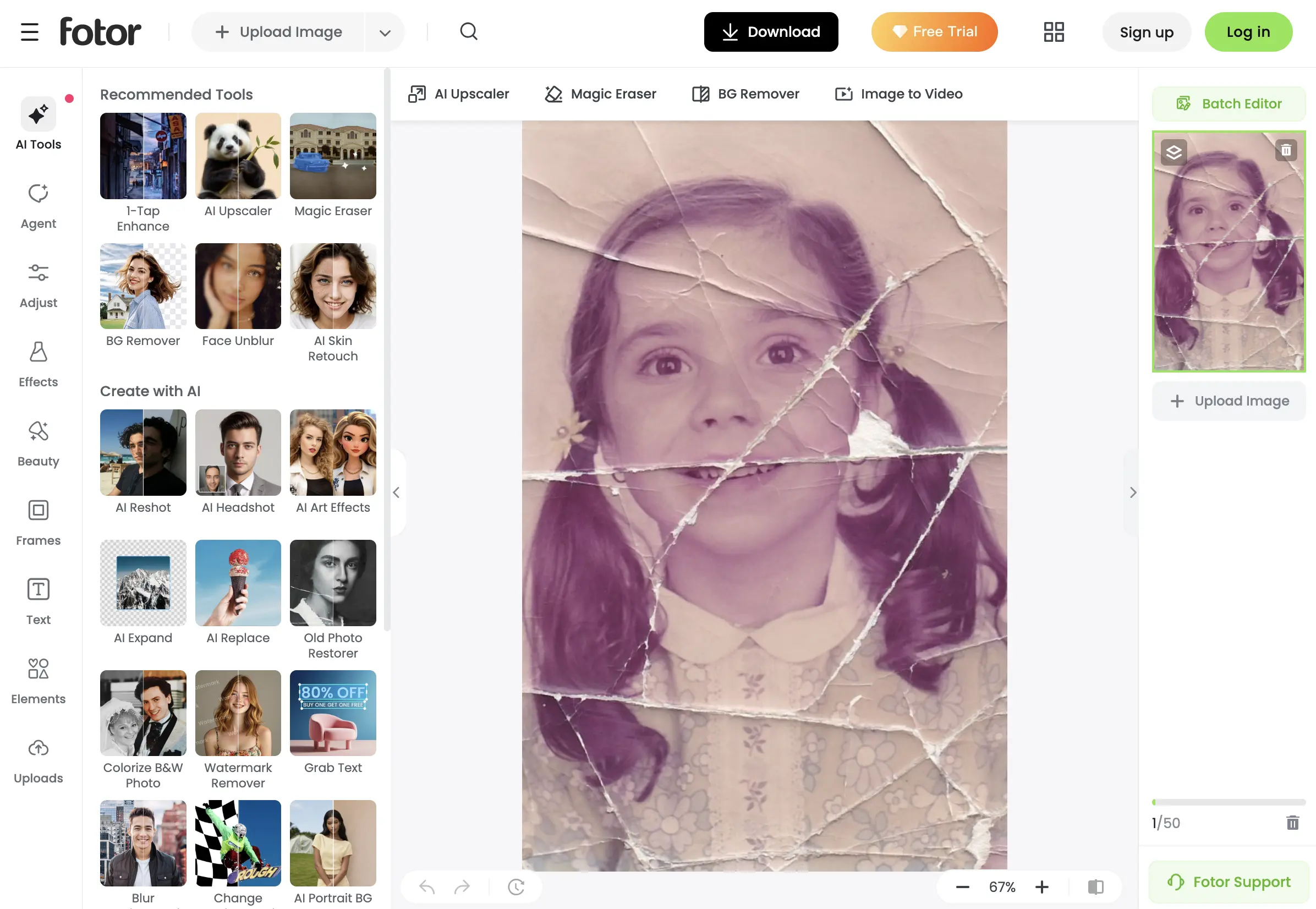
Fotor is a general-purpose online photo editor that includes basic AI enhancement tools. It's not specialized for restoration, but it handles light touch-ups on reasonably intact photos.
Pros
- Easy-to-use interface
- Free tier available
- Works in browser, no download needed
Cons
- Basic AI restoration quality
- Not suitable for heavily damaged photos
- Watermarks on free-tier downloads
Best for: Light enhancement on photos that aren't heavily damaged.
7. Let's Enhance — Best Dedicated Upscaler
Let's Enhance does one thing: upscaling. If your photo is just low resolution but otherwise in good condition, it produces clean, sharp results without introducing artifacts.
Pros
- Best-in-class upscaling
- Preserves fine detail well
- Simple, focused interface
Cons
- No restoration, colorization, or face enhancement
- Credits run out quickly on the free plan
Best for: Photos that are low-resolution but undamaged.
Which Tool Should You Choose?
The right tool depends on your situation:
Your photo has scratches, cracks, or visible damage → Use The Photo Restore or VanceAI
Your photo just needs sharper faces → Use Remini for quick mobile results, or The Photo Restore for higher quality
You're restoring family history photos → The Photo Restore or MyHeritage if you're already on that platform
You need to process dozens of photos → VanceAI for bulk, or The Photo Restore for the best per-photo quality
You're a professional with complex requirements → Adobe Photoshop
You only need upscaling → Let's Enhance
For most people with old, damaged family photos, The Photo Restore is the best starting point. It handles the full restoration pipeline — damage, faces, color, and resolution — in a single upload.
Frequently Asked Questions
Are AI photo restoration tools free?
Most offer free tiers or trial credits. The Photo Restore gives free credits to new users. Remini, Fotor, and VanceAI have free tiers with limitations. Adobe Photoshop requires a paid subscription.
Can AI really restore heavily damaged photos?
Yes — modern AI can recover significant detail from photos with scratches, fading, water damage, and blur. Results depend on the severity of damage and the quality of the input scan. A 300 DPI scan always produces better results than a phone photo of a photo.
Do these tools work on black and white photos?
All of the top tools support black & white input. The Photo Restore, MyHeritage, and VanceAI also include colorization to convert them to color.
Is my photo safe when I upload it?
Reputable tools process images securely. The Photo Restore deletes uploaded photos after processing and does not use them for training.
Which tool gives the best results for portrait photos?
For portrait restoration specifically — especially where faces are blurry, faded, or damaged — The Photo Restore consistently produces the most natural-looking facial reconstruction.
Final Thoughts
AI photo restoration has made it possible to bring damaged memories back to life without needing professional editing skills or expensive software. The tools above cover every need, from quick mobile touch-ups to full professional-grade restoration.
If you're restoring old family photos and want the best combination of quality, ease, and completeness, start here:
🔥 Advanced Restore — all-in-one photo restoration
Or apply individual tools for more control: